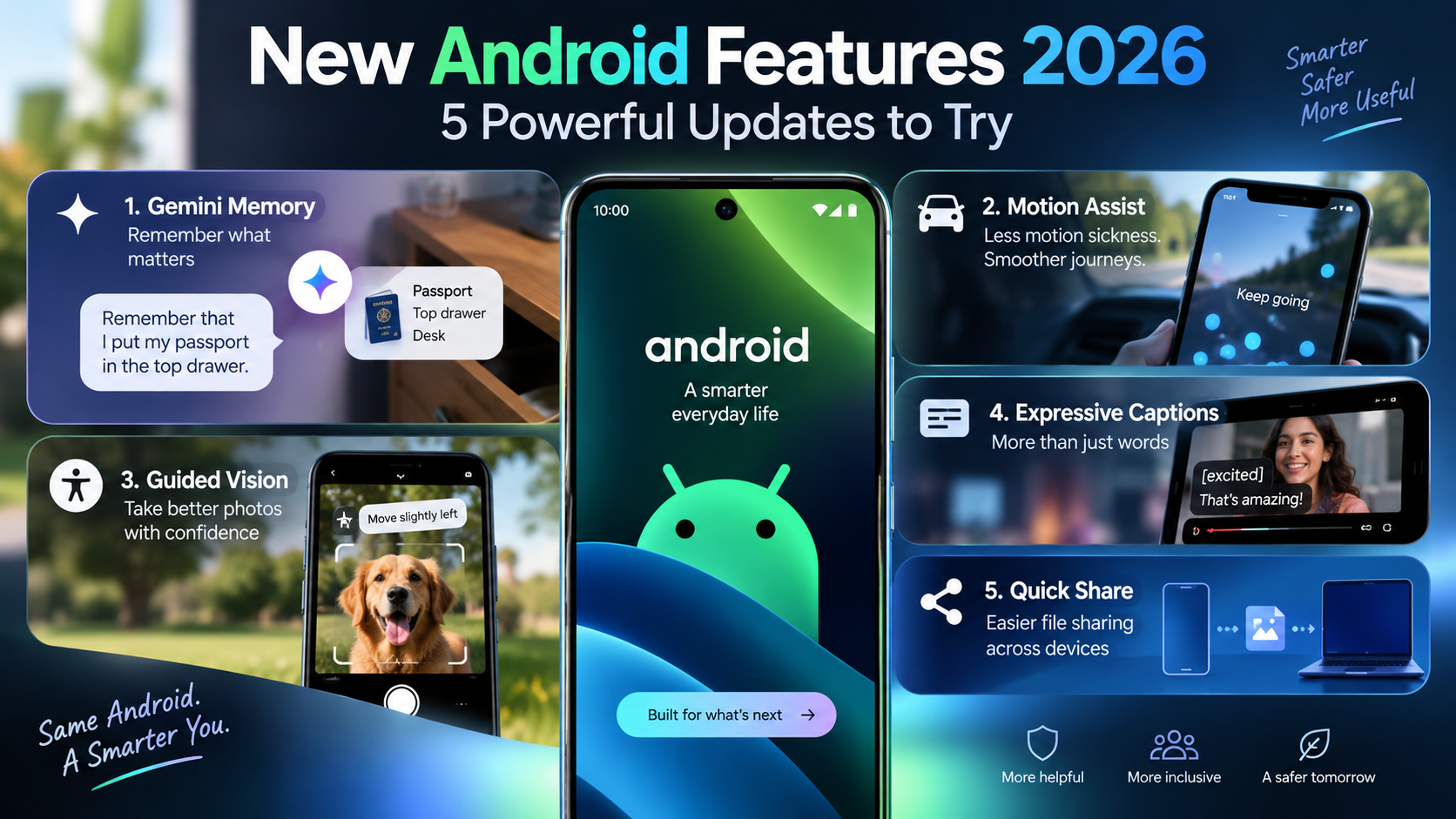
New Android Features 2026: 5 Powerful Updates to Try
New Android Features 2026 are making smartphones more useful in everyday life. Google’s latest Android updates bring smarter AI tools, accessibility improvements, easier sharing, and features designed to solve real problems.
Think about the small frustrations you have with your phone.
You forget where you put your passport. You feel sick while looking at your phone in a moving car. You cannot understand a video because you have no headphones. Or you simply want an easier way to share files.
Some of the latest Android improvements are designed around problems exactly like these.
But which features are actually useful?
Here are 5 New Android Features 2026 worth knowing about, how they work, and what you should consider before using them.
Google introduced several of these updates as part of its https://blog.google/products-and-platforms/platforms/android/Android-Drop-September-2026/?utm_source=chatgpt.com , focused on making everyday Android tasks easier.
1. New Android Features 2026 Bring Smarter Gemini Memory
Have you ever put something important in a “safe place” and then forgotten where that safe place was?
Maybe it was your passport, spare key, document, charger, or another item you do not use every day.
Gemini can now help you remember information like this.
For example, you could tell Gemini:
“Remember that I put my passport in the top drawer of my desk.”
Later, when you cannot remember where it is, you can ask Gemini.
Instead of searching through several drawers, bags, and cabinets, you have a digital reminder available.
Why Gemini Memory Could Be Useful
This feature is useful for information that is too small for a calendar event but important enough that you do not want to forget it.
For example, you might want to remember:
- where you stored an important document
- where you put a spare key
- where you packed something
- a detail you need to remember later
It sounds simple, but that simplicity is exactly what could make it useful.
Be Careful With Sensitive Information
There is an important difference between remembering useful information and storing secrets.
You should avoid giving an AI assistant information such as:
- banking PINs
- account passwords
- card security codes
- authentication codes
- highly sensitive personal information
As AI assistants become more personal, understanding their risks matters too. Read our guide to AI financial assistants and their biggest benefits and risks.
A good rule is:
Use AI memory as a reminder tool, not as a password manager.
Convenience is useful, but protecting sensitive information is more important.
2. Motion Assist Could Reduce Motion Sickness
One of the most interesting New Android Features 2026 is designed for people who feel uncomfortable using their phones while traveling.
Imagine sitting in the passenger seat of a car.
You start reading an article or watching a video.
A few minutes later, you feel dizzy or nauseous.
This can happen because your eyes are focused on a relatively stable screen while your body feels the vehicle moving.
Android’s Motion Assist is designed to help reduce this problem.
It uses visual cues on the screen that respond to the vehicle’s movement.
The idea is to give your eyes additional visual information about the movement happening around you.
Who Could Benefit From Motion Assist?
Motion Assist may be useful if you regularly:
- browse your phone while riding in a car
- watch videos during road trips
- read while commuting
- use social media while traveling
- feel uncomfortable looking at screens in moving vehicles
However, Motion Assist should not be considered a guaranteed cure for motion sickness.
If you continue feeling sick, stop looking at your phone and look outside or rest instead.
And remember: this feature is intended for passengers.
Never use your phone while driving.
3. Guided Vision Makes Taking Photos More Accessible
Not every important smartphone feature needs to be flashy.
Some improvements matter because they make technology easier for more people to use.
Guided Vision is a good example.
It is designed to help people who are blind or have low vision take photos more independently.
Normally, taking a good photo depends heavily on what you can see on the screen.
Is the person’s face inside the frame?
Are you pointing the camera too high?
Should you move the phone left or right?
Guided Vision can provide guidance that helps users position the camera and frame their shots.
Why Guided Vision Matters
Accessibility features are sometimes ignored by people who do not personally need them.
But smartphone accessibility is extremely important.
Modern smartphones are not just phones anymore.
They are also:
- cameras
- navigation devices
- communication tools
- banking devices
- entertainment systems
- workplace tools
Making those technologies easier for more people to use independently is meaningful progress.
Among the New Android Features 2026, Guided Vision may therefore be one of the most important accessibility improvements.
4. Expressive Captions Can Give Videos More Context
Imagine watching a video without headphones.
Normal captions tell you what someone says.
But they do not always tell you how the person says it.
Was the person whispering?
Were they shouting?
Were they excited?
Was their voice emotional?
Those details can completely change the meaning of a conversation.
Expressive Captions are designed to communicate more of that context through captions.
This can make content easier to understand even when you cannot hear the audio clearly.
This Is Useful Beyond Accessibility
Captions are essential accessibility tools, particularly for people who are deaf or hard of hearing.
But they are also useful in everyday situations.
Imagine watching a video:
- on a crowded train
- inside a quiet office
- late at night
- somewhere too noisy to hear clearly
- when you forgot your headphones
Suddenly, good captions become incredibly useful.
This is one reason the New Android Features 2026 are interesting.
Some features designed around accessibility can improve the smartphone experience for many other users as well.
5. Quick Share Makes Moving Files Easier
Sending one photo from one device to another should take seconds.
Yet many of us still do something like this:
Take a photo.
Open a messaging app.
Send the photo to ourselves.
Open the same messaging app on another device.
Download the photo again.
That works, but it is unnecessarily complicated.
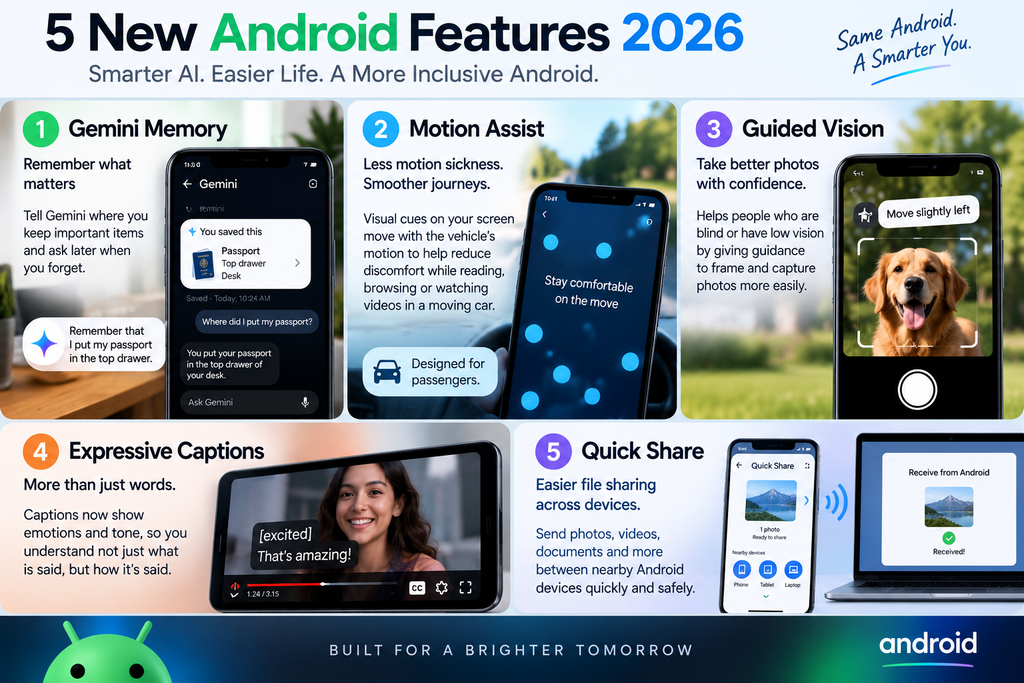
Quick Share is designed to make nearby file transfers easier.
You can use it to share compatible files such as:
- photos
- videos
- documents
- screenshots
- downloaded files
without having to email them to yourself first.
Why Quick Share Is Actually Useful
Quick Share is not the type of feature that looks revolutionary in an advertisement.
But if you regularly move files between devices, reducing a five-step process to a much simpler transfer can save time.
There is still one important safety habit to remember.
Before sending anything sensitive, always confirm that you selected the correct receiving device.
A faster sharing system is useful only when the right person receives the file.
Which New Android Features 2026 Are Actually Useful?
The answer depends on how you use your phone.
If you constantly forget where you put things, Gemini’s memory capability may be the feature you notice most.
If you feel uncomfortable looking at your phone during car journeys, Motion Assist could be worth trying.
For people who are blind or have low vision, Guided Vision may offer much more meaningful value.
If you frequently watch videos without audio, Expressive Captions could improve the experience.
And if you regularly transfer photos and documents, improvements around Quick Share may save you time.
There is no single best feature.
The important question is:
Which feature solves a problem you actually have?
That is a much better way to judge technology than simply counting how many new features an update contains.
Are New Android Features 2026 Available on Every Phone?
Not necessarily.
This is important because Android does not work like a single phone model.
Feature availability can depend on factors such as:
- Android version
- smartphone manufacturer
- device model
- country or region
- language
- Google app version
- Google services
- rollout schedule
Therefore, seeing a feature announced does not guarantee that it will immediately appear on every Samsung, Google Pixel, Xiaomi, OnePlus, Motorola, or other Android device.
Some features can also arrive gradually.
So if you cannot find one immediately, it does not necessarily mean something is wrong with your phone.
How to Get New Android Features 2026
Before searching random websites for downloads, start with official updates.
Step 1: Check Your Android Update
Open your phone’s Settings and check whether a software or system update is available.
The exact location may differ depending on your phone manufacturer.
Step 2: Update Your Apps
Open the Google Play Store and check for app updates.
Some Android capabilities can arrive through Google apps and services rather than a traditional full operating-system update.
Step 3: Restart Your Phone
After installing major updates, restarting your device can help complete the update process.
Step 4: Check Feature Availability
If Google announces a feature but you cannot find it, check whether it is currently available for your device, language, and region.
Step 5: Avoid Suspicious APK Downloads
This is especially important.
You may find websites claiming:
“Get the latest Android feature before everyone else!”
Be careful.
Do not install unknown APK files simply because they promise early access to a feature.
Malicious or modified apps can create security and privacy risks.
Whenever possible, get Android and Google app updates through official sources.
Privacy Matters More as Android Gets Smarter
AI is becoming a larger part of smartphones.
That can make phones more useful, but it also means users should think carefully about the information they share with AI tools.
For example, Gemini remembering where you put something could be convenient.
But convenience does not mean you should tell an AI assistant every private detail about your life.
Before using AI-powered features, ask yourself:
Does the assistant actually need this information to help me?
If the answer is no, you probably do not need to share it.
Also review relevant privacy and account controls rather than automatically accepting every optional setting.
The smartest phone is not necessarily the phone that knows everything about you.
It is the phone that gives you useful features while allowing you to stay in control.
New Android Features 2026: What Should You Try First?
You do not need to activate every feature just because it is new.
Start with the problem you want to solve.
If you forget things:
Try Gemini’s memory capabilities.
If you feel sick using your phone in vehicles:
Look for Motion Assist.
If accessibility is important to you:
Explore Guided Vision and Expressive Captions.
If you constantly move files:
Try Quick Share instead of repeatedly sending files to yourself.
This approach prevents your phone from becoming overloaded with features you never actually use.
Technology should make everyday tasks easier, not create another list of settings you have to manage.
Final Thoughts on New Android Features 2026
The most interesting thing about New Android Features 2026 is not that Android phones can do more.
It is what problems those new abilities are trying to solve.
Gemini can help you remember useful information.
Motion Assist targets discomfort while using a phone in a moving vehicle.
Guided Vision improves accessibility.
Expressive Captions make videos easier to understand without relying completely on sound.
Quick Share makes transferring files simpler.
None of these features alone completely changes what a smartphone is.
But together, they show where Android is heading: toward phones that are more aware of everyday problems and better at helping users solve them.
And that may be more valuable than another flashy redesign.
A genuinely useful technology update should not just give your phone more features. It should make something in your life easier.